
Snap Budget
BUILT NATIVELY FOR MACOS • 100% ON-DEVICE PRIVACY
Zero-Based Budgeting, Built Natively for Mac
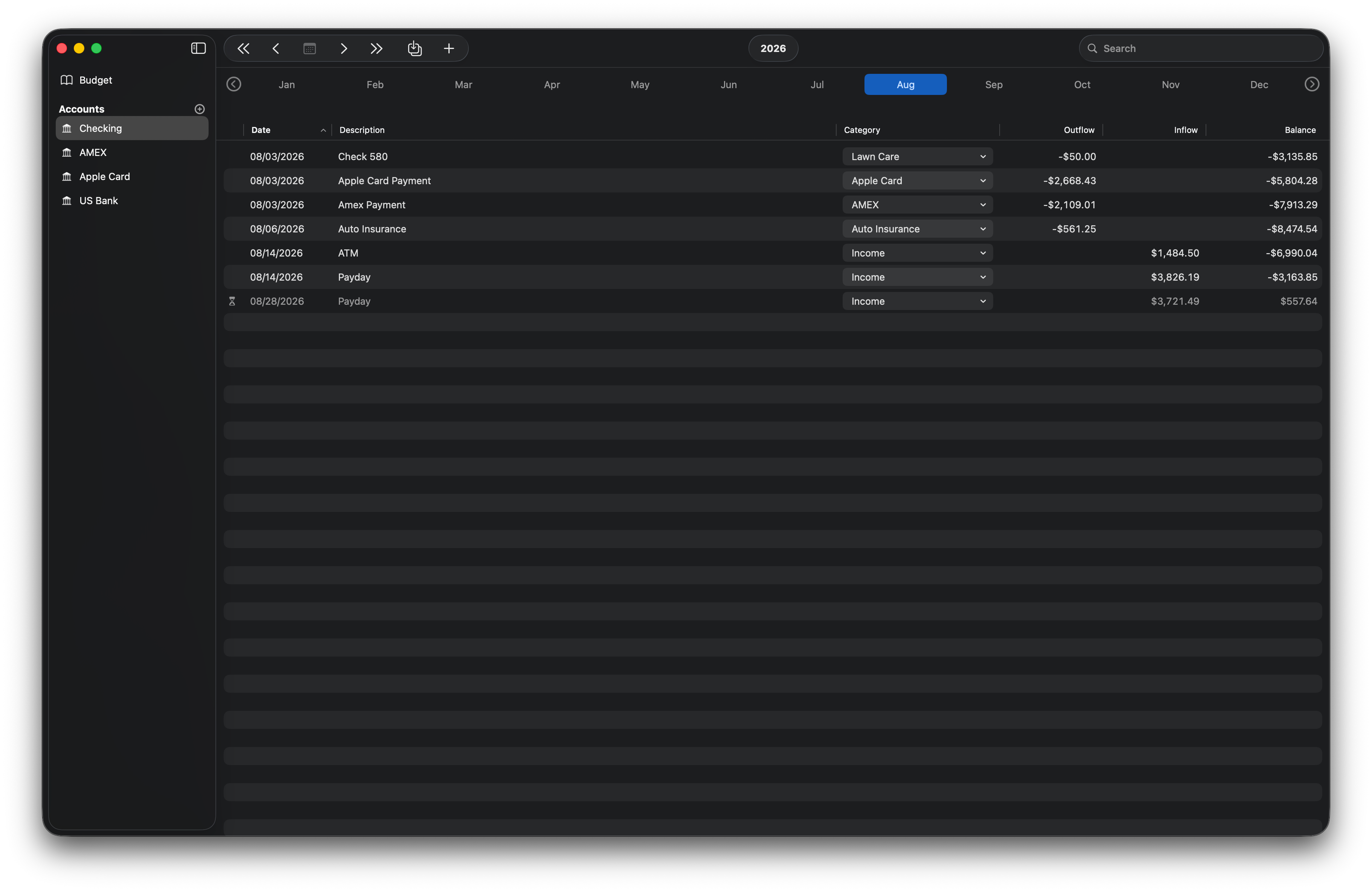
Take full control of your finances with offline local storage, custom category groups, and fast CSV transaction importing.

Designed for Speed. Built for macOS.
A lightweight, native budget planner that keeps your financial data on your Mac.

Your Money, Stored Securely on Your Mac
No mandatory cloud accounts, no surprise fees, and no selling your personal data.
100% Local Financial DataYour transaction ledger, accounts, and financial balances stay strictly on your Mac. No cloud databases, no remote server syncing, and zero access to your money data.
Direct CSV ImportsReconcile bank statements locally using the native file importer. Click import, select your CSV file, and map transactions directly without sharing bank credentials.
Privacy-Preserving TelemetryPowered by TelemetryDeck to help improve app feature workflows without tracking individuals. Built with zero PII, zero cookies, and zero cross-app ad tracking.
Simple, Transparent Pricing
Experience complete financial privacy with zero subscriptions. Get full lifetime access at a special re-launch price before it returns to its standard rate.
Lifetime PassLifetime Pass — 50% OFF
Standard Price: $79.99
Re-Launch Sale Price: $39.99 (One-time purchase)
Details: Permanent access to all current and future Pro features, local storage, and all updates with zero recurring fees.
System Requirements
Built natively for macOS. Designed to run fast and efficiently on Apple hardware.
Frequently Asked Questions
Is my financial data backed up to iCloud?
No. Snap Budget stores your ledger file locally on your Mac. You retain complete ownership and control over your database files with zero mandatory cloud syncing
Does it connect directly to my bank?
No. Snap Budget avoids third-party bank aggregators to keep your credentials secure. Reconcile statements locally using the native file importer—just click import and select your CSV file.
Can I customize transaction categories?
Yes. You can create, rename, and organize custom category groups and envelope structures to match your personal spending habits
Privacy Policy | Terms of Service | Support & Contact
Questions or feature requests? Contact Support
© 2026 Syntactic Labs. All rights reserved.Mac, macOS, and Mac App Store are registered trademarks of Apple Inc., registered in the U.S. and other countries.
PRIVACY POLICY
Effective Date: August 19, 2026---Overview
Snap Budget was created with a fundamental commitment to user privacy. We believe your personal finances should remain entirely private, secure, and under your direct control. Snap Budget is designed from the ground up as a local-first application.---Financial Data & Local Storage
Snap Budget does not collect, store, transmit, or upload any financial data, bank account details, transaction histories, or category information you enter or import into the app.* All financial data is stored 100% locally on your Mac inside your user account's sandboxed Library directory.
* Your data never touches our servers, third-party cloud services, or external networks.
* We do not have access to your financial records under any circumstances.---Anonymous App Analytics (TelemetryDeck)
To help us understand app performance, stability, and general feature usage, Snap Budget uses TelemetryDeck, a privacy-first analytics provider.* No Personal Data: TelemetryDeck collects minimal, non-identifiable usage signals. It does not collect personal information, IP addresses, location data, or any financial content.
* Privacy Compliance: TelemetryDeck is fully compliant with GDPR and global privacy regulations. For details, visit telemetrydeck.com/privacy.
* Our Goal: Our intent is to eliminate usage analytics entirely once Snap Budget achieves peak stability and optimal feature maturity.---Direct Feedback
You can help us phase out analytics faster by sharing your feedback, feature requests, or bug reports directly with us.* Contact: [email protected]
Snap Budget Support
Native macOS Ledger & Personal FinanceNeed help with your ledger, have a feature request, or ran into a CSV import issue? We are here to help.---Quick Self-Service FAQHow do I import files from my bank?
Open Snap Budget, click the Import button in the window bar, and select your bank's exported .csv file. You can map custom columns directly during the import flow.Is my financial data stored on a cloud server?
No. Snap Budget operates on a 100% local-first architecture. Your ledger stays entirely inside your Mac's sandboxed Library folder. We do not run analytics on your transactions, track your spending, or host cloud databases.How is my data stored and saved?
Snap Budget automatically saves your transactions to a local database on your Mac as you work—there are no manual file saves required. To transfer data to a new Mac, use macOS Migration Assistant to migrate your user account.What macOS versions are supported?
Snap Budget requires macOS 15.4 or later. It is fully compiled as a Universal Binary, optimized for both Apple Silicon (M1–M4) and Intel processors.---Contact SupportIf you need direct assistance, found a bug, or want to suggest a feature:* Email: [email protected]
* Response Time: We respond to technical queries within 24–48 hours.When reporting a bug, please include your current macOS version and your Mac model (e.g., M2 MacBook Air) to help us resolve the issue faster.---Privacy Policy • Terms of Service© 2026 Syntactic Labs. Mac, macOS, and Mac App Store are registered trademarks of Apple Inc.